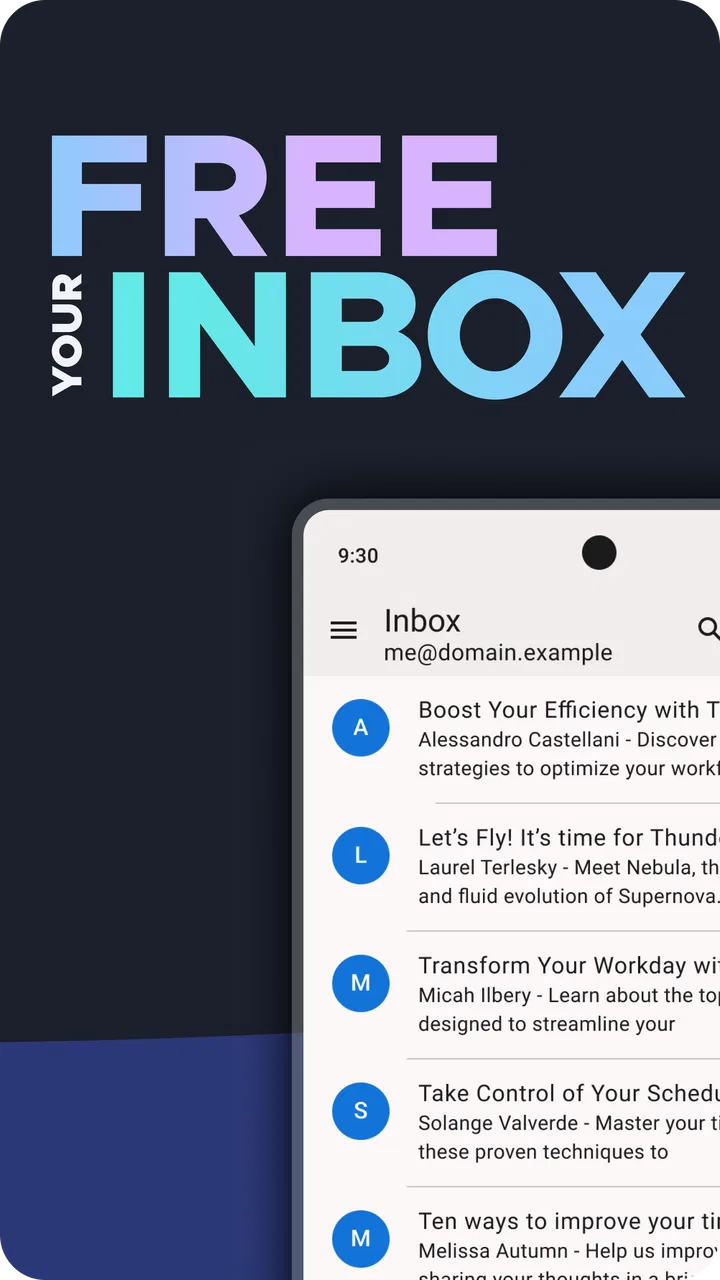
Thunderbird: Free Your Inbox
- 3.6
- Rating
- 1.00M
- Installs
- Free
- Price

 Analysis by App-foxy
I approached Thunderbird as an everyday email tool rather than as a simple replacement for the mail app already on my phone. That distinction matters. Email is where private conversations, receipts, work documents, password resets, and personal records often meet, so the question is not only whether an app can send and receive messages. I also want to know how clearly it lets me choose accounts, manage conversations, and understand what is happening with my information.
After spending time with Mozilla Thunderbird’s mobile email experience, I found an app with a clear identity: it is built around open-source development and a privacy-focused approach, while still trying to remain practical for ordinary inbox work. It is free to download, aimed at everyone, and belongs firmly in the communication category. That makes it easy to recommend as a serious option, but not automatically the best choice for every person or every email provider.
The app was released on October 28, 2024, and its current version is 22.0. It requires Android 6.0 or later, so people using older phones should check compatibility before planning a switch. On the store, it has reached over one million installs, with an average rating of 3.6 from roughly ten thousand ratings. Those figures suggest a product with meaningful adoption, but also one that still divides opinion. My own impression is that the difference comes from expectations: people wanting a highly controlled, privacy-conscious mailbox may appreciate it more than people expecting every convenience of a large integrated email ecosystem.
You May Also Like

 Blood Strike: 2.5 Anniversary
Blood Strike’s Loadouts Turn Every Drop Into a Tactical Gamble
A close look at Blood Strike’s custom loadouts: how fast access to signature weapons reshapes its battle royale rhythm, rewards preparation, and narrows the gap between fights.

 Pandora - Music & Podcasts
Pandora’s Music Is Easy to Start, but Harder to Recover
Pandora’s strength is its low-effort path from a seed to a station. Its weak spot is how much confidence it asks you to place in connection, setup, and quiet recovery.

 8 Ball Pool
 Is Built on Rivalries, Rematches, and Routine
A close look at the rivalries, rematches, shared routines, and unanswered safety questions that turn a quick pool match into a persistent mobile community.

 Samsung Music
’s Quiet Strength Is Playing What You Already Own
Its reach comes less from spectacle than from dependable access to a personal library. That simplicity is both the app’s strongest retention engine and its ceiling.

 AccuWeather: Weather Radar
AccuWeather Review: A Quick, Clear Forecast for Everyday Decisions
For everyday plans, the best forecast is the one you can understand quickly. AccuWeather makes rain timing, radar, and local conditions easy to act on, with a few trade-offs.

 Hill Climb Racing
Why Hill Climb Racing Still Turns Crashes Into One More Run
A tiny car, a bumpy hill and one more upgrade: Hill Climb Racing keeps resurfacing because its simple chaos makes every near-miss feel personal.
More From Our News Desk



Trust starts with what the app lets me see and control
The first thing I value here is that Thunderbird does not present itself as an anonymous magic box. Mozilla Thunderbird is the developer, and the project’s open-source identity gives the app a different tone from many mainstream communication products. Open source does not automatically make every decision perfect, and it should not be treated as a guarantee that every user will understand the technical details. Still, it gives the product a stronger trust context than an app that says little about how it is built or why it handles email in a particular way.
In practical terms, I see the privacy focus as a reason to slow down during setup instead of tapping through screens without reading them. Email accounts are sensitive by nature. When I add an account, I am not merely granting access to a list of messages; I am connecting an app to conversations, attachments, contact details, and sometimes years of personal history. My useful rule is to add only the accounts I genuinely want on the phone, then review the account choices before making the app my default daily inbox.
That approach is especially important for people who keep separate addresses for work, shopping, family, newsletters, or one-time registrations. A privacy-minded email app is not a substitute for good account hygiene. Thunderbird can make multiple inboxes more manageable, but it cannot decide which messages I should expose to a particular device or which account should remain isolated. I found the strongest benefit when I treated account separation as a deliberate workflow rather than assuming the app would organize everything automatically.
The free price also lowers the barrier to trying it. There are in-app purchases listed from five dollars to two hundred dollars per item, so I would still inspect any purchase screen carefully if one appears in my particular setup. The important practical point is that I would not install it expecting a mandatory subscription just to test the basic experience. That makes experimentation easier, although people managing business accounts should still consider their organization’s rules before moving work mail into a new client.
Account setup deserves more attention than the first launch
For a personal account, the sensible starting point is to add one mailbox and use it for several days before importing every address. This gives me time to notice whether messages arrive as expected, whether sending uses the correct identity, and whether the layout suits the way I actually read email. It also avoids the common mistake of creating a large, confusing first impression by connecting five accounts at once.
For a work-and-personal phone, I would take a more cautious route. I would add the work account only after checking whether the employer permits third-party mail clients, then confirm which account is selected when composing a new message. That small check prevents an embarrassing mistake: writing a personal reply from a professional address or sending a work attachment through the wrong mailbox. The app’s value is not only its inbox view; it is the control I retain when I make these choices consciously.
People who rely on unusual provider settings may need patience. The usual alternatives often benefit from deep integration with their own mail services, which can make sign-in and synchronization feel more automatic. A dedicated client such as this one has a broader purpose, but the trade-off is that the experience can depend more noticeably on the account provider and the way that provider handles access. I would choose it for control and independence, not because I expect every account to feel identical.
Privacy is most meaningful during ordinary email moments
The privacy question becomes real when I open an unfamiliar message, tap an attachment, or follow a link. An email client can present these actions cleanly, but I still need to treat the message itself as untrusted content. A polished interface can make a phishing email look less alarming than it should. My habit is to inspect the sender and the context before responding, especially when a message asks for payment, a login, or a document.
This is one area where Thunderbird’s privacy-oriented identity helps shape my behavior, but it does not remove responsibility. I would not interpret the app as a security shield that makes suspicious mail safe. Instead, I see it as a place where I can manage email with a more deliberate mindset. When I receive an unexpected invoice, for example, I can pause, verify the sender through a separate channel, and avoid turning the app’s convenience into an automatic approval.
Attachments create another data-sensitive moment. I prefer to download only what I need, especially when an email contains several files or comes from a sender I do not recognize. On a phone, storage and mobile data are limited considerations as well. A useful workflow is to read the message first, decide whether the attachment is necessary, and then open or save it only when I am ready to deal with it. That is simple advice, but an app that encourages me to manage my own mailbox makes this kind of restraint easier to practice.
Newsletters and promotional mail are also revealing. I do not want to treat an inbox as a permanent archive of every mailing list I have ever joined. When I notice a recurring message I no longer read, I prefer to unsubscribe through a trustworthy route or use the account’s available organization tools instead of letting the inbox grow indefinitely. Thunderbird is more useful to me when I pair it with regular cleanup; otherwise, even a privacy-conscious client can become another place where unwanted information accumulates.
Where it differs from the usual alternatives
The most obvious comparison is with the mail app that comes preinstalled on a phone. A built-in client usually wins on familiarity and low effort. It may already understand the device’s account system, notifications, contacts, and battery behavior. If I want to add one account and never think about email software again, that option may be less demanding.
Thunderbird makes more sense when I want a dedicated email identity that is not tightly tied to one phone manufacturer or one large online service. Its open-source and privacy-focused character is a meaningful part of the choice, not just a label. I am more willing to consider it when I use several providers, care about keeping email management separate from other services, or want to support a project whose public identity is built around user privacy.
Compared with a provider-specific app, the trade-off is similar. A provider’s own app may offer the smoothest experience for that provider’s folders, search, notifications, and account recovery flow. Thunderbird is the more interesting choice when I need one place for accounts from different sources. That convenience can be worth more than a few missing integrations, but only if the accounts I use behave reliably inside the client.
I would also distinguish it from a privacy tool that focuses on encrypted messaging. Email remains email: it depends on the wider mail system, and messages may pass between different providers and people using different software. Choosing Thunderbird does not turn an ordinary email exchange into a private chat channel. I like the app’s stated direction, but I would not use it to make promises about confidentiality that email itself cannot support.
Small workflows that make the app more useful
My favorite practical approach is the “single-account trial.” I connect the account that matters most, keep the old client available for a short transition, and test three things: receiving, sending, and attachment handling. This catches problems that a first glance cannot reveal. It also makes it easier to identify whether a frustration comes from Thunderbird itself or from the email provider’s synchronization behavior.
A second useful habit is to separate reading from responding. On a phone, I often scan new messages while traveling but wait until I have a stable connection and enough attention before sending a sensitive reply. That reduces the chance of a rushed response, a wrong attachment, or an accidental message from the wrong account. Thunderbird fits this workflow because I can treat the inbox as a review queue instead of feeling obliged to answer everything immediately.
A third insight concerns notifications. I would not enable every alert simply because the app offers them. For personal mail, immediate notifications can turn low-value messages into constant interruptions. For a work account, they may be necessary. The right choice depends on the account, not on the app’s general reputation. I prefer to make notification decisions account by account, then revisit them after a week when I know which alerts are actually useful.
Search and organization deserve realistic expectations too. I would not assume that installing a new client will repair a disorganized mailbox. If years of mail are poorly labeled or spread across several providers, the first improvement may come from deciding what deserves attention, what can be archived, and what should no longer arrive. The app can become a better front door, but I still have to clean the house behind it.
Who will appreciate it, and who should skip it
I think Thunderbird is a strong candidate for someone who uses more than one email account and wants a dedicated client with a clear privacy and open-source identity. It is also appealing to people who dislike being locked into the mail app associated with a particular device or online ecosystem. Students, freelancers, families managing separate addresses, and technically curious users can all find a reason to try it.
It is less convincing for someone who wants a completely invisible email utility. If my priority is the fastest possible setup, perfect integration with one provider, or a familiar interface that requires no adjustment, the default app or provider-specific alternative may be better. The same applies to users who depend on specialized corporate controls and cannot freely choose a mail client. In that situation, policy compatibility matters more than the app’s philosophy.
I would also hesitate to recommend it as the only client on day one for anyone whose email is mission-critical. A gradual migration is wiser. Keep access to the previous app until the important accounts have passed a real-world test: a normal incoming message, a reply, a new outgoing message, and an attachment. If those basics work consistently, the switch becomes much less risky.
My cautious verdict after using it
Thunderbird is not compelling because it promises to make email exciting. It is compelling because it gives the ordinary act of checking mail a more considered foundation. Mozilla Thunderbird has made a free communication app for Android users who want an open-source, privacy-focused direction, and that focus is visible in how I think about account choices and sensitive email moments.
The average rating of 3.6 shows that this is not a universally effortless experience, and I understand why. A multi-provider email client has to balance independence with the quirks of many account systems. Some users will prefer the seamless behavior of a built-in or provider-owned app. Others will find that the extra control is worth a little more attention during setup and daily use.
My recommendation is therefore specific rather than absolute: try it with one non-critical account, review every account and notification choice, and test sending before making it your sole inbox. If you value privacy, open-source software, and control over how your accounts are brought together, it deserves a fair trial. If you mainly want invisible integration and zero setup decisions, stay with the alternative that already fits your provider.
The best reason to choose Thunderbird is not that it removes every email risk; it is that it encourages me to stay aware of the choices I make. For a communication app handling personal messages, that is a meaningful strength. It just works best when the person using it remains part of the security and privacy process instead of expecting any mail client to make those decisions automatically.
FAQs for Thunderbird: Free Your Inbox
01What is Thunderbird: Free Your Inbox?
Thunderbird: Free Your Inbox is a mobile email application designed to help users manage messages from different accounts in one place. It focuses on organizing incoming mail, reducing inbox clutter, and making everyday email tasks easier on a phone or tablet. Before downloading, users should confirm that the app supports their preferred email provider and account type.
02Which email accounts can I use with Thunderbird: Free Your Inbox?
The app is intended for managing standard email accounts, but available services may depend on the version, operating system, and provider settings. In general, users should look for support for common protocols or sign-in methods such as IMAP, SMTP, and modern provider authentication. Work, school, or highly secured accounts may require additional configuration or administrator approval.
03Is Thunderbird: Free Your Inbox free to download and use?
Thunderbird: Free Your Inbox is presented as a free email solution, making it accessible to users who want to manage their inbox without paying an upfront subscription. However, users should still review the store listing for any optional purchases, donations, premium features, or platform-specific limitations. Availability and included features can vary between Android and iOS.
04Does Thunderbird: Free Your Inbox protect my privacy and email data?
Privacy is an important consideration because an email app handles sensitive conversations, attachments, contacts, and account credentials. Thunderbird is associated with an open-source approach and user-focused privacy principles, but the exact data handling depends on the mobile version and connected email provider. Before signing in, review the app’s privacy policy, permissions, encryption details, and account-security options.
05Is Thunderbird: Free Your Inbox suitable for managing multiple inboxes?
The app can be useful for people who want to check personal, work, or secondary email accounts from a single interface, provided those accounts are supported. A unified inbox may save time, while separate account views can help keep messages organized. Users with heavy email workloads should also test search, notifications, folders, filters, synchronization, and attachment handling before relying on it completely.
Pros
- Open-source project with a strong focus on privacy and user control.
- Supports multiple email accounts in one unified inbox.
- Powerful search and filtering tools help locate messages quickly.
- Customizable interface with themes
- layouts
- and display preferences.
- No subscription is required for its core email management features.
Cons
- Initial setup can feel technical for users unfamiliar with email server settings.
- Some advanced features may require add-ons or extra configuration.
- Mobile experience may feel less polished than dedicated commercial clients.
- Large mailboxes can take time to synchronize on slower connections.
- Add-on availability and compatibility may vary between app versions.

Thunderbird: Free Your Inbox
Gallery